How to use ExpressVPN to compare flight prices from different locations



With ExpressVPN, you can change your apparent location and compare fares and booking options across travel sites. When you do, the booking site sees the ExpressVPN server’s public IP address instead of your own.
Switching locations won’t always result in a cheaper flight, but with servers for 113 countries and regions, you can check for differences in fares and availability across many markets. In our tests across several ExpressVPN locations and travel sites, results varied, with some searches showing different prices or booking options depending on the location we used.
How to use ExpressVPN to compare flight prices
For the examples below, we used Google Flights, but you can follow the same process on any flight comparison or booking site.
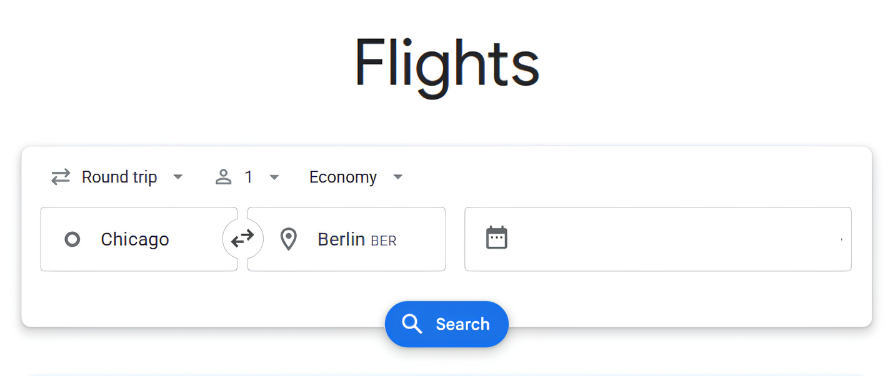
- Search for your flight without changing your location. With your VPN disconnected, visit the flight or booking site you want to test, and enter your route, travel dates, passenger count, cabin class, and any other required information. Click Search.
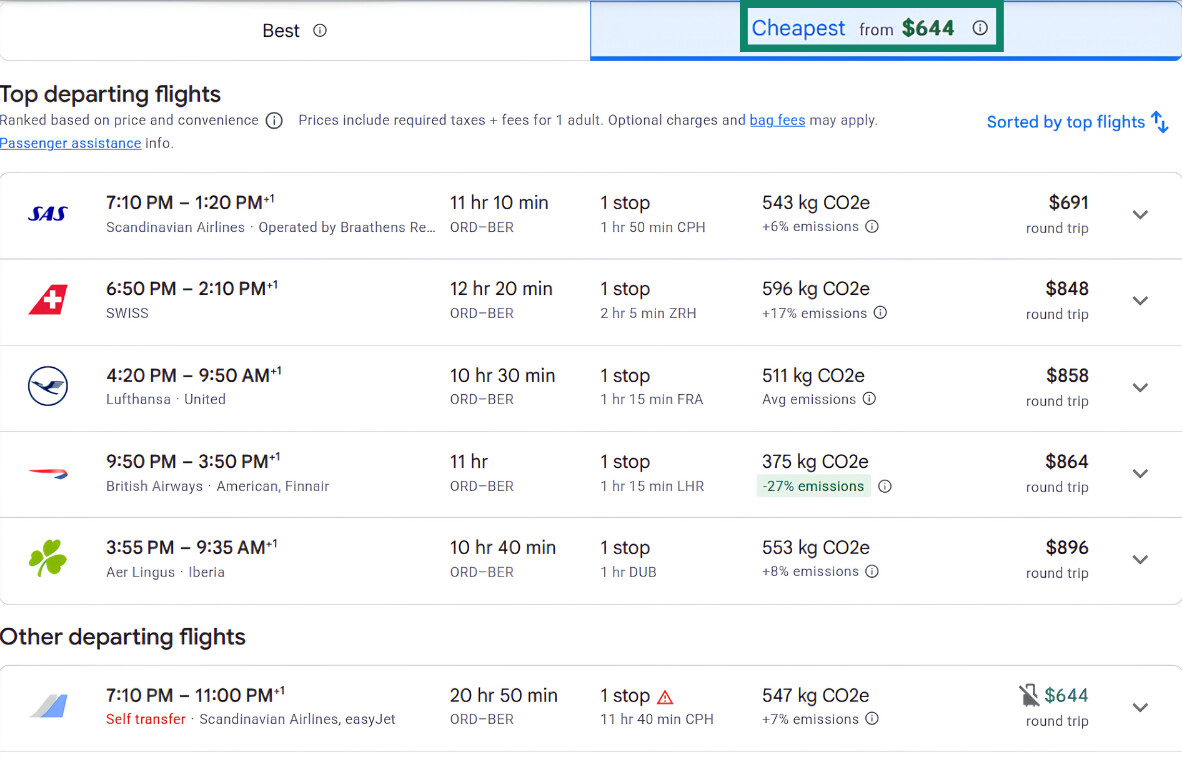
- Record the result. Note the fare, currency, booking provider, and any details that could affect the total cost, such as taxes, baggage allowances, or fare conditions.
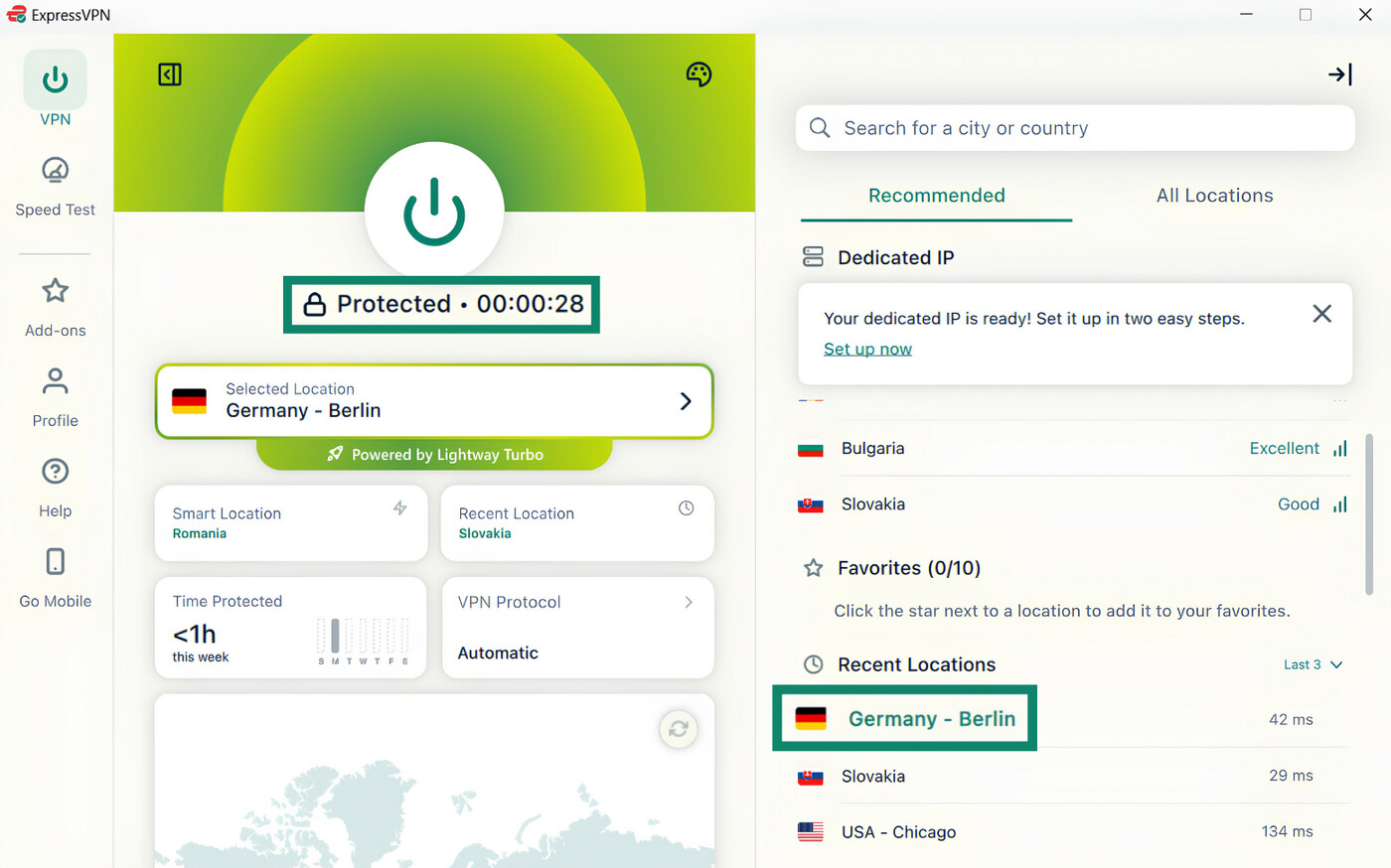
- Connect to an ExpressVPN location. Open ExpressVPN and choose the country or region you want to compare flight prices with.
- Repeat the same search. Keep every search parameter and site setting unchanged, then run the same flight search. You can use a private browsing window here to reduce data carrying over from the previous session. Keep the original tab (with your baseline search) open to make the comparison easier.
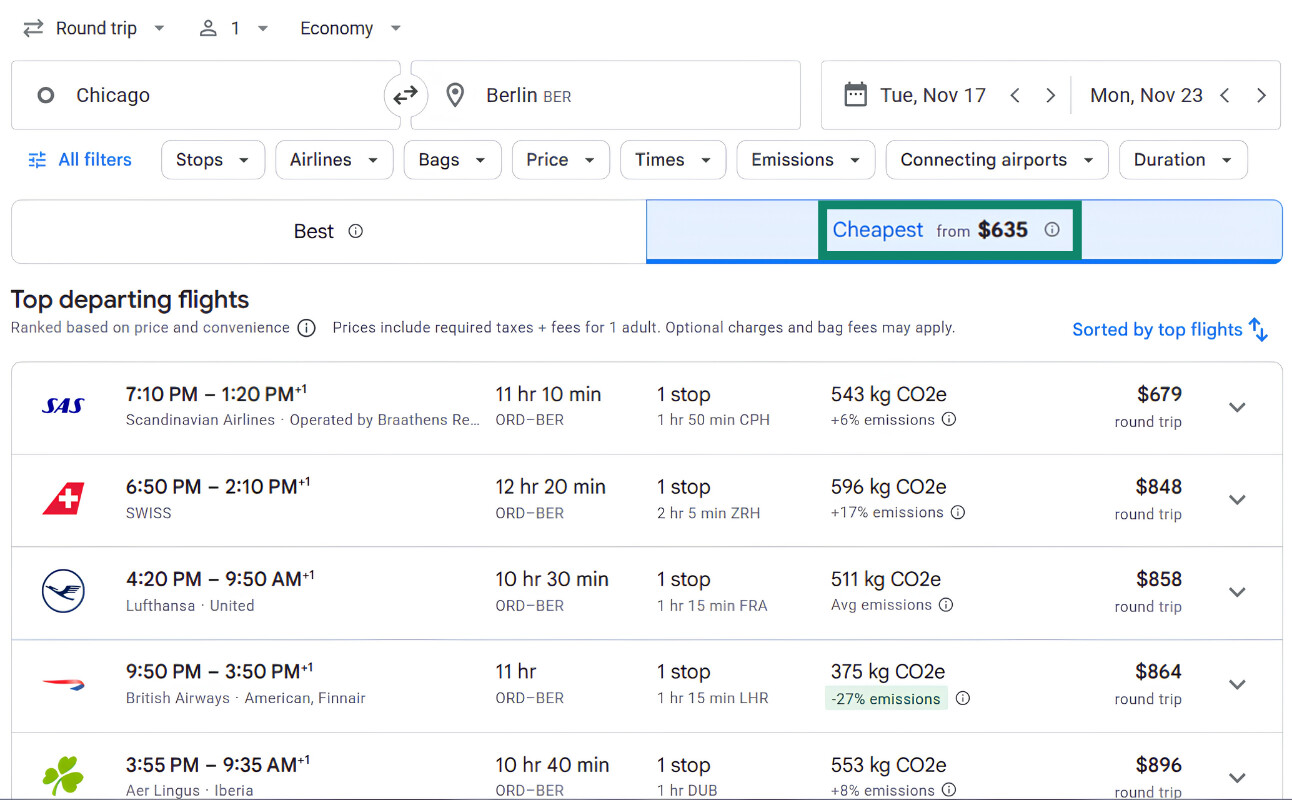
- Compare the results. Check whether the fare, currency, booking provider, taxes, baggage allowance, or fare conditions changed. Currency conversion or foreign transaction fees can also affect the final amount you pay.
- Try another ExpressVPN location. Switch locations and repeat the same search if you want to try and get a different price, or compare another region.
Why changing your VPN location can affect flight search results
Flight and booking sites can use your public IP address to estimate your location and decide which regional version of their service to show you. That can affect the market, currency, booking partners, or offers you see.
The effect isn’t always consistent because sites can also use settings like your selected country or currency, account preferences, or location information you share through an app or device.
Why flight prices can change between searches
Flight prices can change even when you repeat the same search from the same location. Airlines adjust fare availability as demand changes, seats sell, and different fare classes become available or sell out.
If a fare changes after you switch ExpressVPN locations, your public IP location may have been involved, or the fare may simply have changed between searches. Even a controlled comparison can’t prove that the VPN caused the difference.
A price increase after repeated searches also doesn’t mean that cookies or your previous searches caused it. Flight fares can change between searches for other reasons, including changes in fare availability.
Found your flight? Keep ExpressVPN on
With servers for 113 countries and regions, you have plenty of locations to compare during your flight search. But ExpressVPN is a useful travel companion, too:
- Compare hotel and car rental prices: Use the same steps to see what booking sites show for different countries and regions.
- Use public Wi-Fi more safely: ExpressVPN encrypts your traffic on airport, hotel, and café networks, adding a layer of protection to your connection.
- Sign in to accounts back home: Connect to a server for your home country before accessing your bank or other services to help avoid sign-in checks triggered by a foreign location.
FAQ
Can ExpressVPN help me find cheaper flights, and which location should I use?
Results can vary by route, dates, booking site, selected market, and timing, so it’s more useful to compare several relevant locations than to rely on a fixed list of supposedly cheaper countries.
Does Incognito Mode help you find cheaper flights?
However, Incognito Mode doesn’t change your public IP address or apparent IP location. ExpressVPN does that when you connect to another VPN server.
Is it legal and safe to compare or book flights with ExpressVPN?
ExpressVPN encrypts traffic between your device and the VPN server, including on public Wi-Fi, but it doesn’t verify flight sellers or individual offers. Use legitimate booking sites and check the final price, fare conditions, and passenger details before completing your purchase.